
To cancel a potential or current employee's I-9 & W-4 Form follow these easy instructions:
1. Login to your Admin account at https://account.hrdirectapps.com/Home/Login/
2. Click on the I-9 & W-4 App icon.
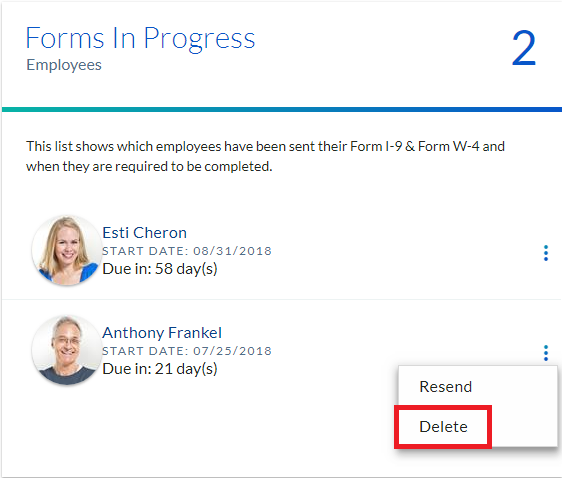
3. To cancel sent forms to an employee, on the Overview page, under the "Forms in Progress Employees" box, click the "Trash" icon.
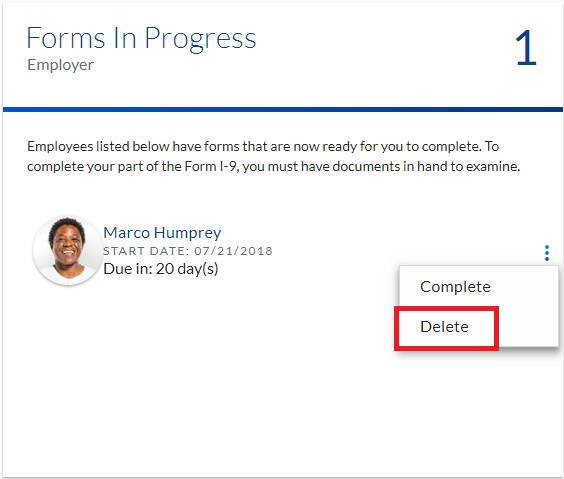
4. To cancel sent forms by an employee, on the Overview page, under the "Forms in Progress Employer" box, click the "Trash" icon.
Please feel free to contact us at 1-800-350-7259 if you have any further questions.
Comments
0 comments
Article is closed for comments.