
Here is a helpful article on how to update your Smart Apps billing information:
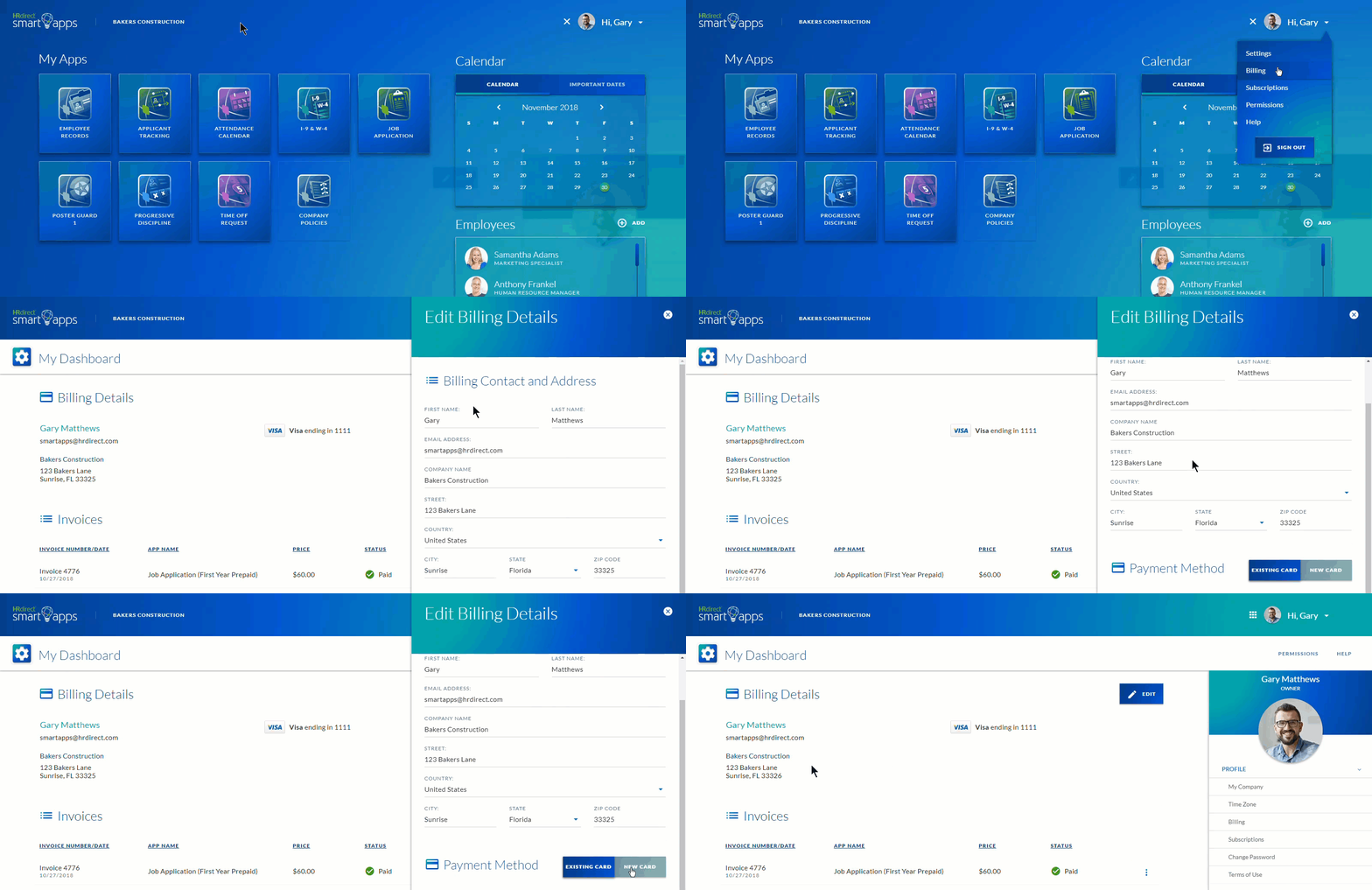
- After logging in, click on the Account Menu on the Home Screen.
- Select the Billing option from the Account Menu drop down.
- In the My Dashboard page, in the Billing Details section click on the Add Card button to add billing information (if billing & payment details have never been entered) or click on the Edit button (if billing & payment details have been entered and just need updating).
**Note: If you have already entered payment details, when updating your payment details you will have the option to edit the existing card or enter a new card.**
4. Click on the Save button to save changes.
Comments
0 comments
Article is closed for comments.